
Users and access
An account holds the configuration. This section is about who is allowed into it, and what they can do once they are in.
Access in Live Hub is built from four elements:
| Element | What it is |
|---|---|
| User | A person, identified by an email address, which is also the sign-in name. A user exists once in Live Hub and can belong to several accounts. |
| API client | A program rather than a person, identified by a client ID and secret. Otherwise it is granted access exactly like a user. |
| User group | A named bundle of permissions inside one account — Administrator, Monitor, Billing Viewer, and so on. Adding a user to a group is what gives them access to that account. |
| Policy | What a group is allowed to do, expressed as a list of roles, one permission each. |
They chain together: a user is in a user group, the group carries one or more policies, and each policy grants a set of roles. A user placed in Monitor receives the Configuration Viewer policy, whose roles are all read-only: they can view the account but change nothing.
Because groups belong to an account, the same person can be an administrator in one account and a viewer in another. Their rights are decided per account, each time they are invited.
Access control (IAM)
You manage users, API clients, and their groups in Access control (IAM), a part of Live Hub that opens in its own browser tab. You are not signing in to anything else: it is the same identity, working on the account you were already in.
To open Access control (IAM):
-
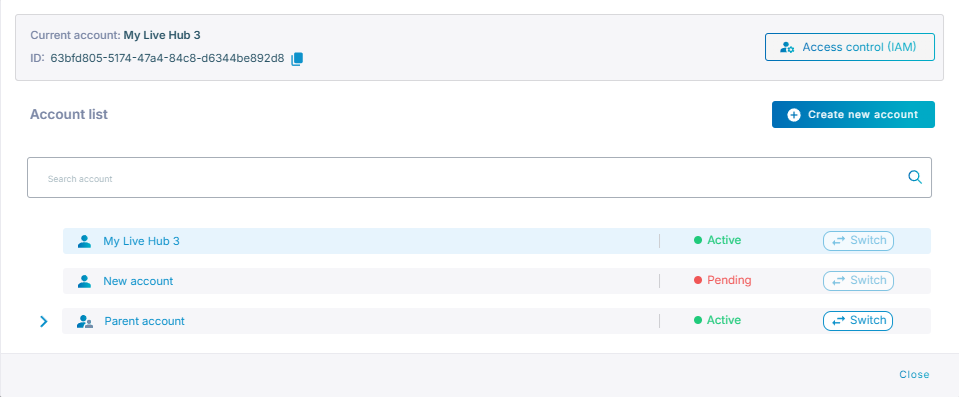
Click Current account in the top-left corner of the Live Hub window.
-
Click Access control (IAM).
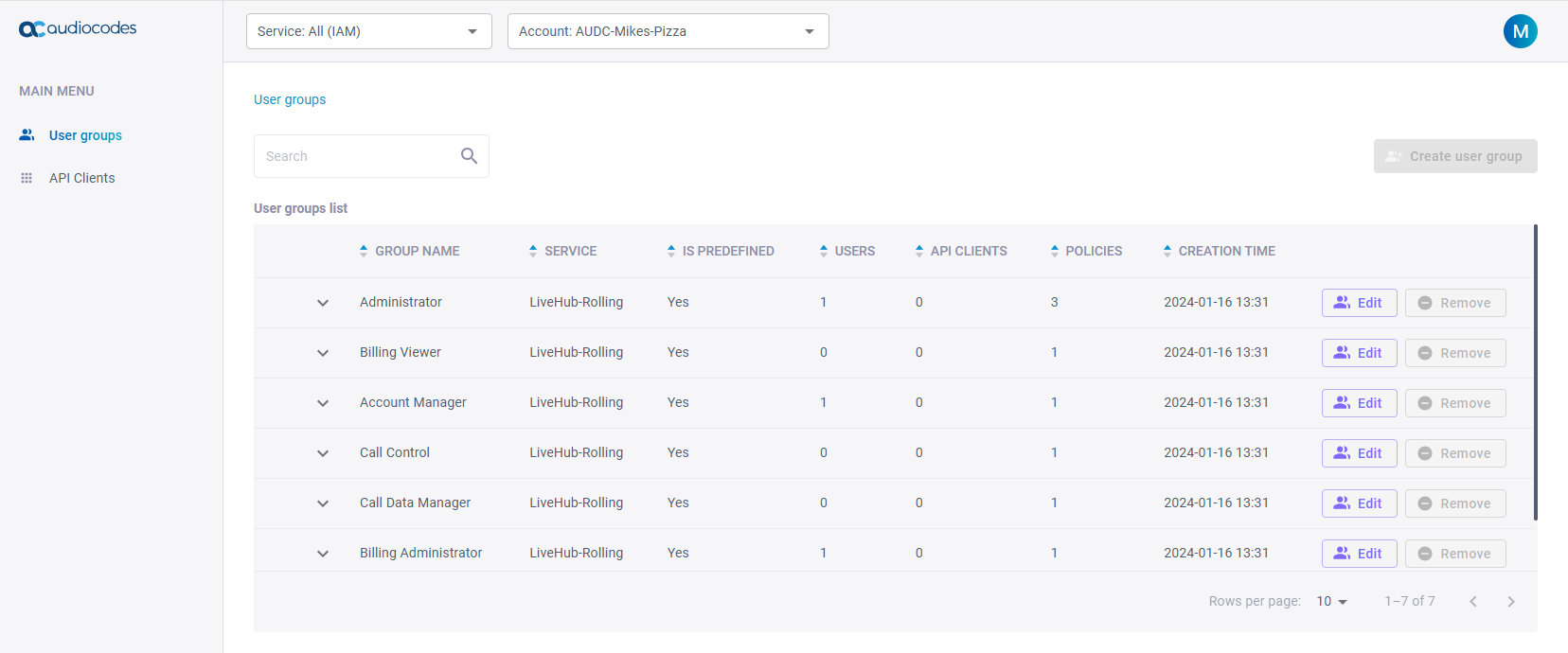
Its Main menu has two entries: User groups, where you grant and remove access, and API Clients, where you create the credentials programs use.
Only members of the Account Manager group can open Access control (IAM) and manage an account's users.
Use your own identity provider
If your organization manages identities in Microsoft Entra ID (formerly Azure Active Directory), Live Hub can take its users from there. Live Hub appears in your tenant as an enterprise application with its own app roles, and each Live Hub user group carries an 'External IDP roles' field naming the app role it answers to. Assigning someone to that app role in Entra ID places them in the matching group. You can still add users to groups in Live Hub as well.
Users, groups and policies
- Manage users — invite people, edit a profile, change a password
- API clients — create credentials for programs, and reach the dialout and REST APIs
- User groups — lists the predefined groups, and controls who is in them
- Policies and roles — explains how a group's permissions are described
- Predefined policies — documents every policy and the roles it grants